No More Room in Hell 2 Voice Chat and Callouts
Communicate faster than the horde moves with proximity VoIP and short callouts.
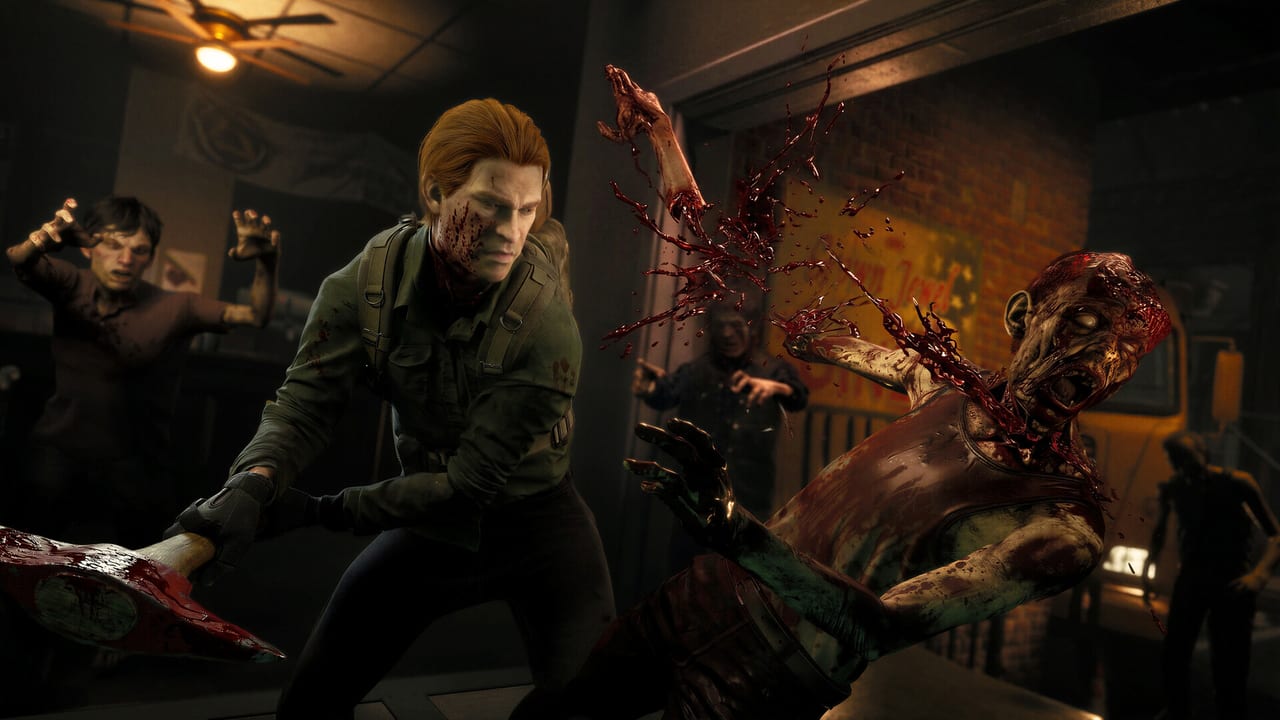
No More Room in Hell 2 was built around proximity voice chat. The default VoIP link is hold E near teammates, and you can hear anyone within range without holding a key. Reading other callouts is just as important as making them. This page covers setup, etiquette, and the short callouts that keep a squad alive through a Scenario or Survival wave.
Quick setup
- PC: VoIP link key is hold E near teammates. Default mic input is your system mic. Open the audio settings on first launch.
- PlayStation 5: VoIP link key is hold L1 (default).
- Xbox Series: VoIP link key is hold LB (default).
- Cross-play: works between PC, PS5, and Xbox Series in the same lobby. Mic levels are independent per platform.
If your squad is missing voice chat after a patch, re-open Controls and Controller Settings to confirm your push-to-talk is still bound. The 1.0.3.1 hotfix reset keybinds; the 1.0.4.0 patch fixed controller scoreboard mute but did not re-bind any keys.
Proximity VoIP etiquette
Proximity VoIP only transmits to nearby teammates. It is not a global lobby chat. Use it for short, actionable callouts. Reserve global Discord or text chat for cross-map pings and post-match review.
Good etiquette:
- One-word status: “infected”, “ammo”, “down”, “clear”.
- Direction callouts: “runner behind”, “shambler front”.
- Objective progression: “key grabbed”, “at finale”, “extracting”.
- Medical urgency: “need pills”, “need therapy”.
Bad etiquette:
- Long monologues that block other callouts.
- Background noise, music, or keyboard typing that drowns out signal.
- Complaining in the middle of a horde — wait for the end-of-wave or extract.
- Unmuted griefers. Use the scoreboard mute (controller-fixed in 1.0.4.0) to deal with them.
Short callouts that work
These short callouts work across language and platform. Adapt to your language but keep them brief.
| Situation | Callout | Why |
|---|---|---|
| Infected teammate | ”Infected — pills?” | Triggers pill sharing before gene therapy timer runs out |
| Downed teammate | ”Down at [location]“ | Locates revive vs leave-behind decision |
| Runner spotted | ”Runner [direction]“ | Runner is fast and grabs from behind |
| Shambler / screamer | ”Shambler front” | Screamers pull extra infected into the wave |
| Objective done | ”Key at [player], moving” | Prevents duplicate effort |
| Helicopter ready | ”Helo open, board now” | Triggers extract timing |
| Final extract | ”Final wave, regroup” | Holds squad together for helicopter |
| Late save | ”Down — need one” | Simple revive call |
Sound discipline
Sound is the loudest signal in NMRIH 2. Zombies react to gunshots, melee swings, doors, and footsteps. Pair VoIP callouts with the sound cues your squad can hear.
- Gunfire summons hordes — coordinate shots during objective spikes, not during exploration.
- Footsteps matter — running toward a teammate alerts nearby infected. Approach quietly when a squad is holding.
- Doors are loud — close doors behind you to reset funnel positions.
- Listen for shambler screams — that audio cue means a wave is about to escalate. Pause looting, group up, save ammo for the spike.
Read Infected Types for which sounds each infected type makes so your callouts align with what your squad already hears.
Cross-play communication
Cross-play squads mix PC, PS5, and Xbox Series players. VoIP works across platforms in the same lobby. The friction points:
- Controller players default to L1/LB for VoIP link. KBM players default to E. Either party can rebind.
- Console players may have system-level voice chat features active. Disable system-level chat on the console itself so in-game VoIP is the only audio source.
- Deadzone changes announced for the September update will affect how mic input is interpreted if your controller has a push-to-talk mapping that uses stick movement.
For platform pairing and party setup, see Cross-Play and Play with Friends.
After 1.0.4.0 fixes
Hotfix 1.0.4.0 fixed controller scoreboard mute, block, and report. That means controller players can finally mute griefers without leaving the lobby. Pair this with the proximity VoIP discipline above and your lobby communication will be cleaner than during launch week.
The Beyond Armageddon roadmap does not list major VoIP changes yet, but cross-play quality-of-life updates remain under active development.
Pair this guide with
- Co-op Teamwork — squad roles and shared loot habits.
- Play with Friends — party setup.
- Cross-Play — platform pairing.
- Controls — keybinds.
- Controller Settings — sensitivity and bind recovery.
- Tips and Tricks — fifteen core habits.
- Updates Hub — patch tracking for future VoIP changes.
Frequently Asked Questions
Quick answers for Responders preparing for the next deployment.
How do I enable voice chat in NMRIH 2?
Voice chat is on by default. On PC, hold E near teammates to use VoIP link. On PS5 hold L1; on Xbox hold LB. Confirm your mic works in the audio settings.
Is voice chat proximity-based?
Yes. You hear only nearby teammates. Use Discord or text chat for cross-map pings.
Can I mute griefers on controller?
Yes. Hotfix 1.0.4.0 fixed scoreboard navigation for mute, block, and report on controller. Use it when needed.
Does voice chat work across platforms?
Yes. PC, PS5, and Xbox Series players can VoIP in the same lobby. Make sure system-level voice chat is disabled on consoles.
What are the best callouts for beginners?
Short status words: "infected", "down", "runner", "shambler", "extracting". One-word callouts beat long monologues during a horde.